💼 For meetings

Minutes with
who said what.

Put your phone on the table and start a meeting. You get the speakers named, the decisions, the open questions and the actions for each person, in Arabic, English or both. No invite, no link, no bot joining the call.

Recording on your iPhone is free on every plan · Notes stay on your iPhone and your iCloud
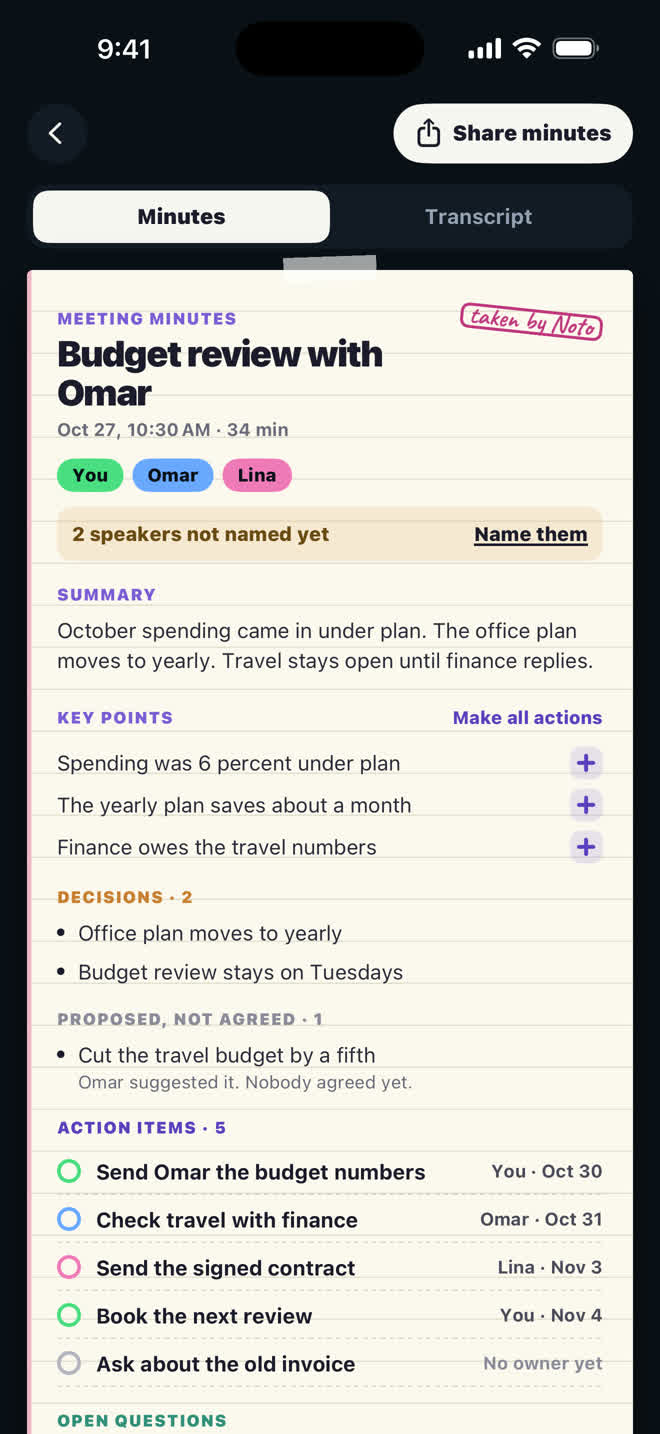
Meeting minutes for a budget review: the speakers, the summary, key points and decisions

The meeting ends. The promises don't.

Everyone leaves a meeting agreeing on what happens next, and a week later nobody remembers who said they would do it. The minutes either never got written, or they got written by the one person who was also trying to talk.

So ActionNote writes the meeting minutes for you. Open Meetings, tap Start a meeting, and talk. When you end it, the recording is turned into minutes with the speakers named, what was decided, what is still open, and the actions for each person. What you promised lands in You promised, with a name and a day. What they promised lands in Others promised.

A notification tells you when your minutes are ready, even with the app closed.
Three things it does for you

🎙️

Record in the room

A phone on the table. Lock the screen or leave the app and it keeps recording; the lock screen and the Dynamic Island show it with Pause and End.

🧾

Minutes, not a transcript

Speakers named, decisions, open questions and an action list for each person. Your own words stay underneath if you need to check something.

📸

Photograph the whiteboard

Snap up to five pages, whiteboards or screenshots. The words are read, and anything asked of you becomes an action with a reminder.

Minutes of meeting template

These are the parts every good set of meeting minutes needs, and the same ones ActionNote fills in from the recording. Copy them even if you write the minutes yourself.

  1. Meeting details: title, date, time and place.
  2. Attendees: who was there and their role.
  3. Agenda: the topics discussed.
  4. Discussion: the main points on each topic, and who made them.
  5. Decisions: what was clearly agreed.
  6. Action items: each task, its owner and its due date.
  7. Open questions: what was not settled and needs follow up.
  8. Next meeting: the date, if there is one.

Two ways to record a meeting

On this iPhone

Free on every plan. The recording and the note stay on your phone.

In the cloud

Speakers named, minutes, decisions and actions for each person. Pro includes 30 minutes a month; Pro+ includes 900.

In the language it was said in

Arabic, English, or both mixed in one sentence, which is how a lot of real meetings sound.

Then ask it back

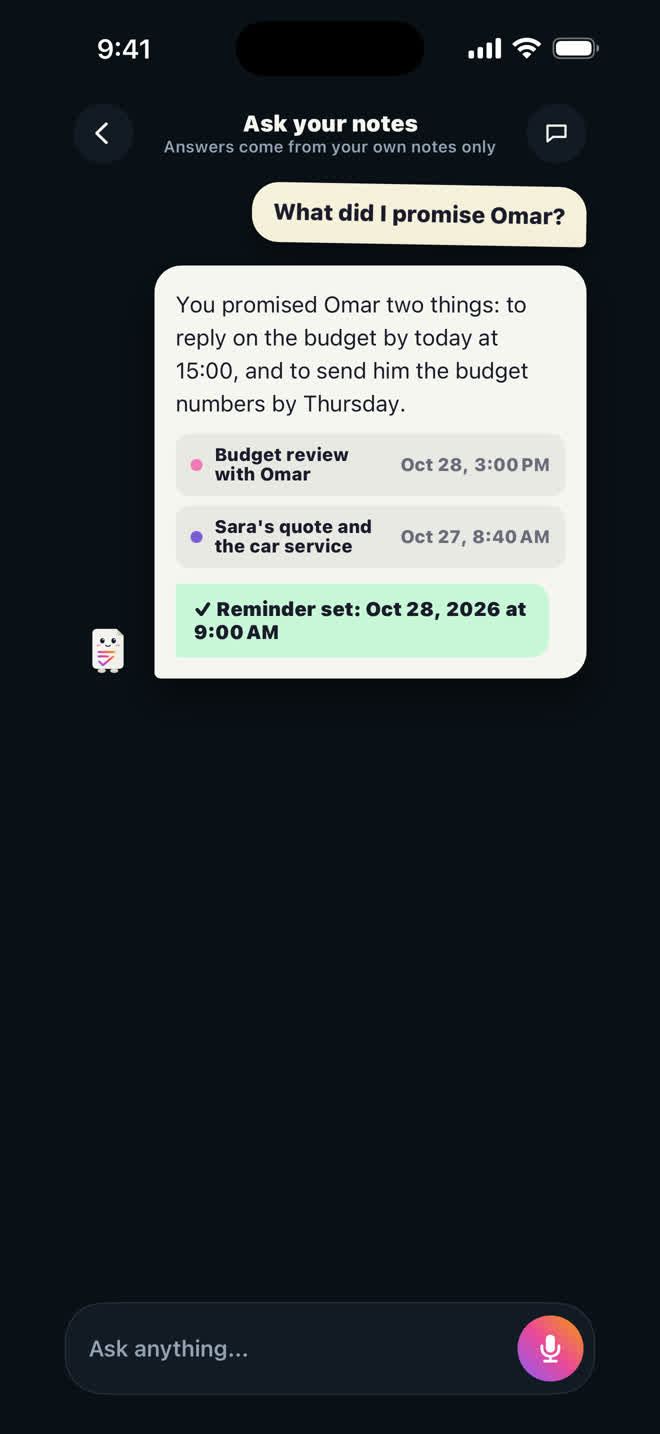
"What did I promise Omar?" The answer comes with the notes it came from, so you can check it before you reply.

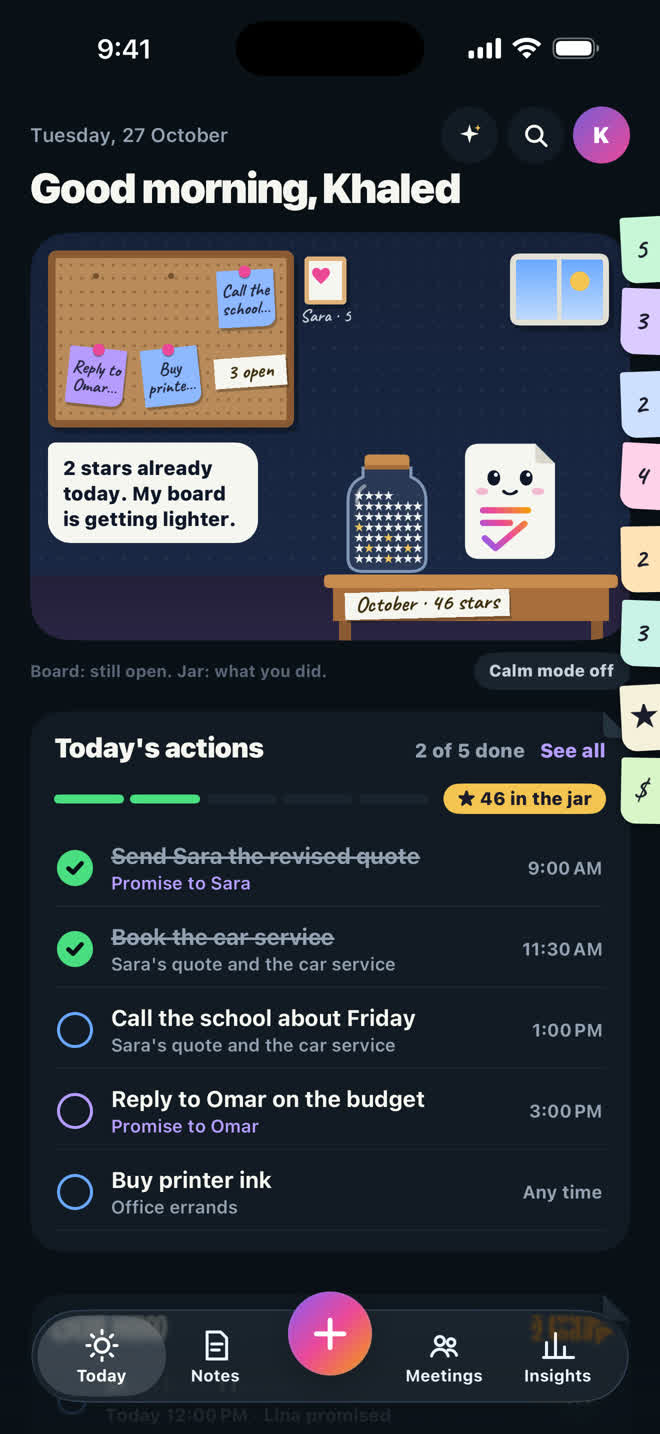
Ask your notes: what did I promise Omar, answered with the source note Today: Noto's board with the day's open actions and promises

Before you download

How do I write meeting minutes fast?

Do not write them by hand. Put your phone on the table, start a meeting from the Meetings tab, and when you end it ActionNote writes the meeting minutes: the summary, decisions, open questions and actions for each person with their dates. The full meeting transcription stays in its own tab if you need to check something.

Does it join my Zoom or Teams calls?

No, and that is deliberate. ActionNote is the phone in the room with you, for the conversations a bot cannot attend. If your meetings are all on video calls, a meeting bot is the better tool.

Can I record a whole one hour meeting?

Yes. Start a meeting from the Meetings tab and end it when you are done. Recording on your iPhone is free; cloud minutes with speakers use the minutes in Pro (30 a month) or Pro+ (900 a month).

Where does the confidential talk end up?

Notes live on your iPhone and in your own iCloud. Audio is sent to be transcribed and organized, and is not kept by us.

Which plan do I need?

None to record on your iPhone. For cloud minutes with the speakers named, Pro gives you 30 minutes a month and Pro+ gives you 900. All plans are on the plans page.

Never forget what you promised.

Free to start: 10 notes organized a month, and your first note needs no account.

Download ActionNote