🎓 Lecture recorder and summarizer

Never re-listen to
a lecture again.

Record the lecture, photograph the whiteboard, and get a summary, the key points and every deadline as a reminder. In Arabic, English or both in one sentence.

ENEnglish ARالعربية MIXBoth at once
Recording survives a locked screen · Notes stay on your iPhone and your iCloud
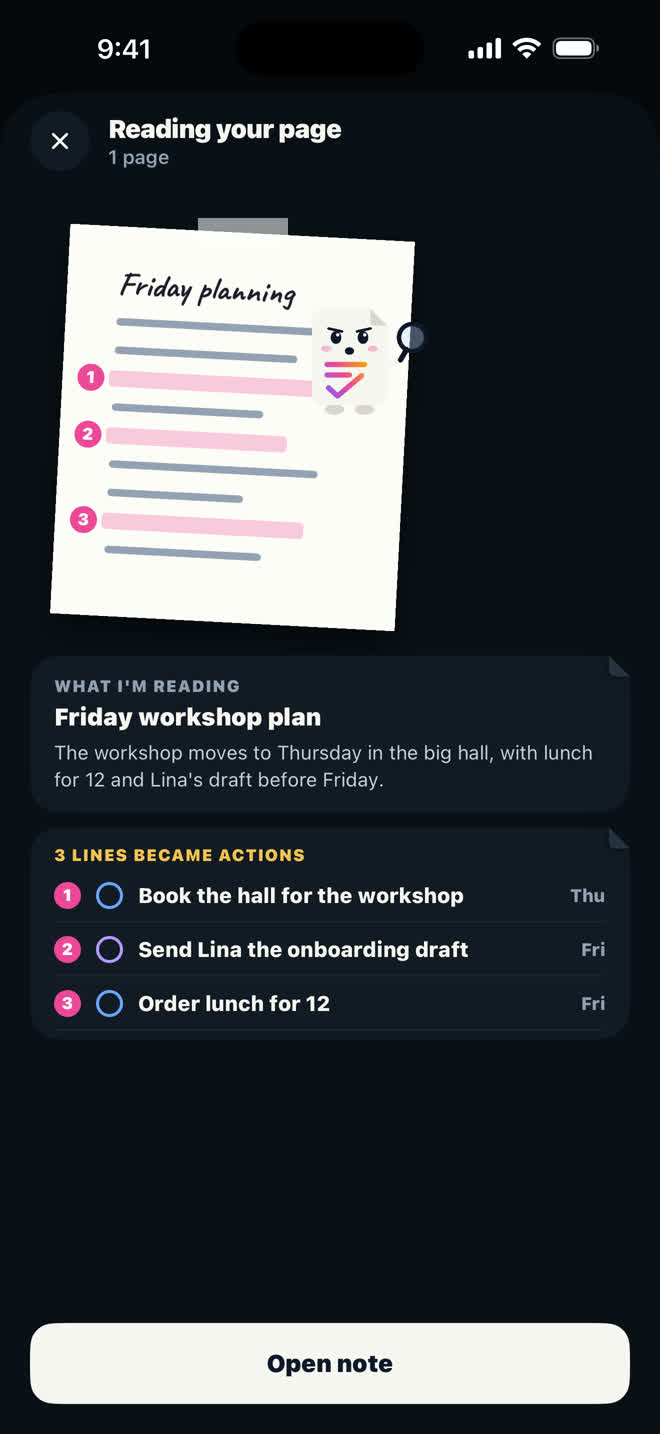
A photographed page turned into a note with actions

I was bad at taking notes.

Half the lecture came out in one language, half in another, and I spent the walk home trying to remember whether the deadline was Thursday or Sunday. My phone had a pile of voice memos I never opened once.

So ActionNote does the part I was bad at. Record the whole session from the Meetings tab, or just the part that matters as a voice note. Lock the screen, switch apps, keep listening; the recording keeps going. The note comes back with a title, a short summary, key points, and the dates as reminders.

And when the important part is on the board, photograph it. Up to five pages, whiteboards or slides; the words are read and every deadline becomes an action.
Three things it does for you

🌍

Two languages, one lecture

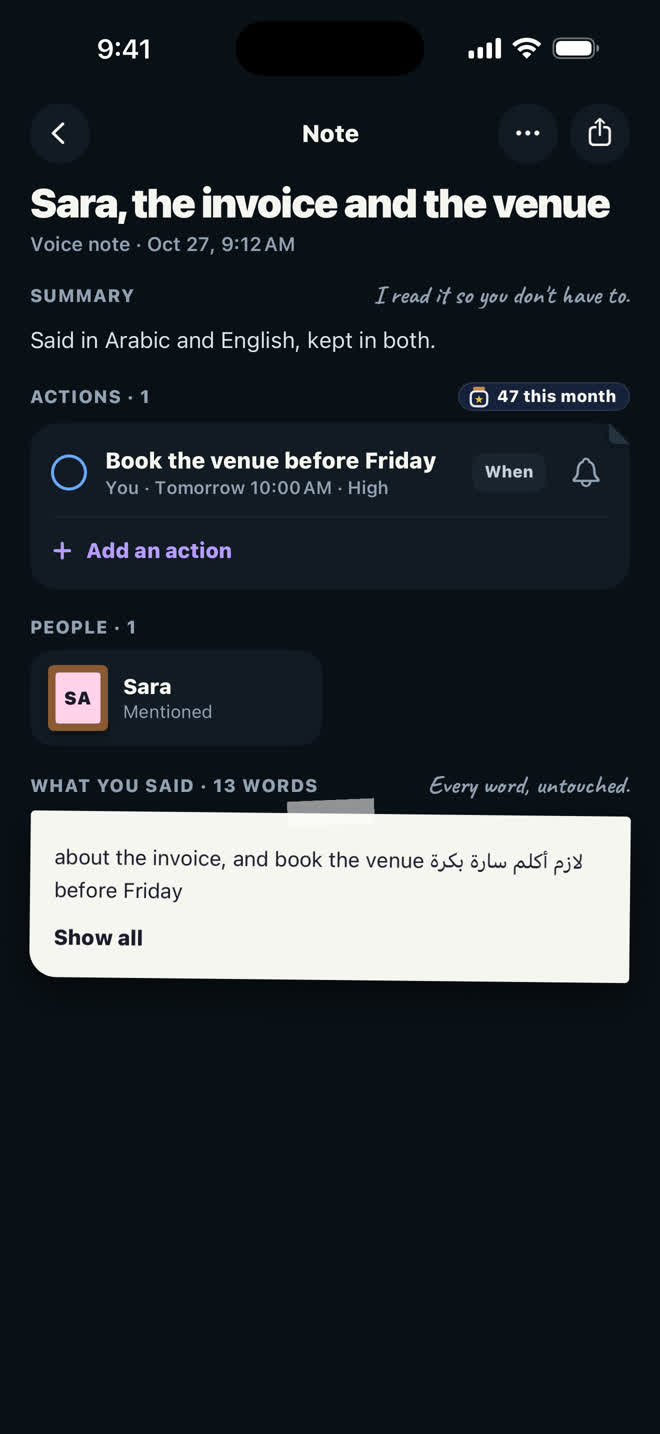
Switching language mid sentence is normal in a bilingual hall, and it was the original reason this app exists. The note keeps what was actually said.

📸

Snap the whiteboard

Photograph the board, the slides or a page of the handout, or pick them from Photos. What is asked of you becomes an action with a date.

💬

Ask it back before the exam

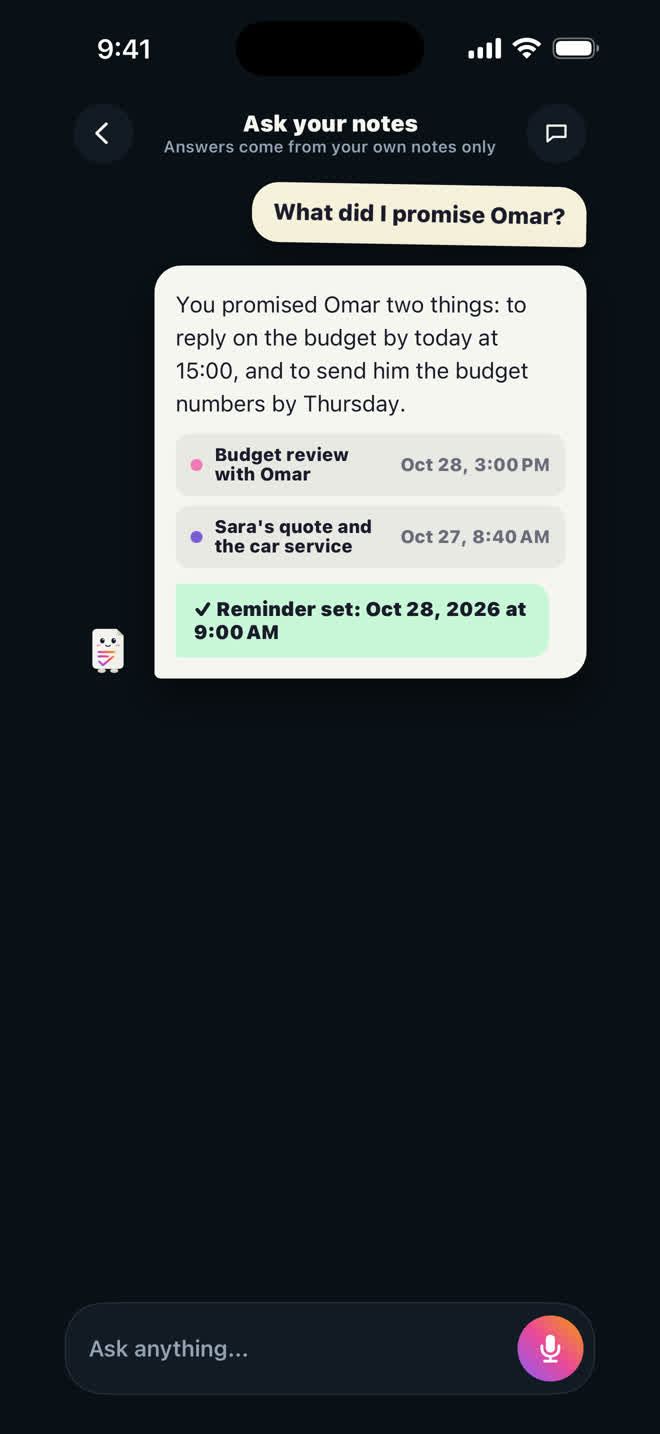
"What did she say about the midterm?" Ask across every note and get the answer with the notes it came from, so you can check it yourself.

Record lectures anywhere

In the hall

A phone on the desk. No link to join, no invite, nothing for the lecturer to approve.

In any language

Speak almost any language, even two in one sentence. The app itself is in Arabic, English, Spanish and French.

On the way out

Free organizes 10 notes a month. Pro is unlimited notes at $4.99 a month or $29.99 a year, with 30 minutes of cloud meetings.

From the hall to your task list

A note said in Arabic and English, kept in both Ask your notes, answered with the source note

Before you download

How do I summarize a lecture with AI?

Record the lecture from the Meetings tab, or just the part that matters as a voice note, then end it. The note comes back with a title, a short summary, key points and the deadlines as reminders, without you writing anything.

Can it transcribe the whole lecture?

Yes, when you record it from the Meetings tab. You get the minutes with a summary and key points, and next to them a tab with the full transcript of the lecture. If it was in Arabic and English together, both languages are kept as they were said.

Can I record a full two hour lecture?

Yes. Start it from the Meetings tab and end it when the lecture does. Recording on your iPhone is free; cloud minutes use the minutes in Pro (30 a month) or Pro+ (900 a month).

Can I take a note from a photo?

Yes. Tap the + button and choose Photo a page. Photograph up to five pages, whiteboards or screenshots, or pick them from Photos.

Is it allowed to record my lecture?

That depends on your university and your lecturer. Ask first; ActionNote does not announce itself, so the courtesy is yours.

Where do my notes go?

On your iPhone and in your own iCloud. Audio, text and pictures are sent to be organized and are not kept by us.

Never forget what you promised.

Free to start: 10 notes organized a month, and your first note needs no account.

Download ActionNote